
At risk of overgeneralising, video games are not fun without some kind of a challenge.
When we last left off, I had crafted a system for Don’t Drop The Ball that allowed me to carve out levels in an intuitive way, where I could draw, drag and delete bits and pieces of terrain for the ball to bounce across. This is a good foundation for creating levels, but alone, it gives me very few options to challenge players in interesting ways.
So, how could I build from here to generate more interesting gameplay scenarios?
Blocked Off

I had already created draggable blocks that could boost the player in a certain direction, or destroy the player and send them back to the beginning of the level. As I mentioned in the previous post though, this system is frustrating to use, as it is nigh on impossible to line these suckers up perfectly with each other.
That’s when a thought came to me; why not create a system where we can apply these modifiers to any bounce-able surface to make them helpful or harmful to the player? Instead of painstakingly dragging bounce pads or deadly surfaces into the scene, we could instead create terrain with the existing tools, and then draw onto their edges to apply a modifier!
Close To The Edge
I had originally envisioned a system where the user (i.e. me, for now at least) would basically wrap cling-film around the terrain objects by clicking and dragging one of two handles, with the surface being formed between the two. However, I realised that this was relying too much on the user understanding the complexities of this system.

So, I instead designed this tool so that it would pre-compute the “cling-filmable” areas, which are initially marked with these dotted lines that can be seen next to the terrain edges.
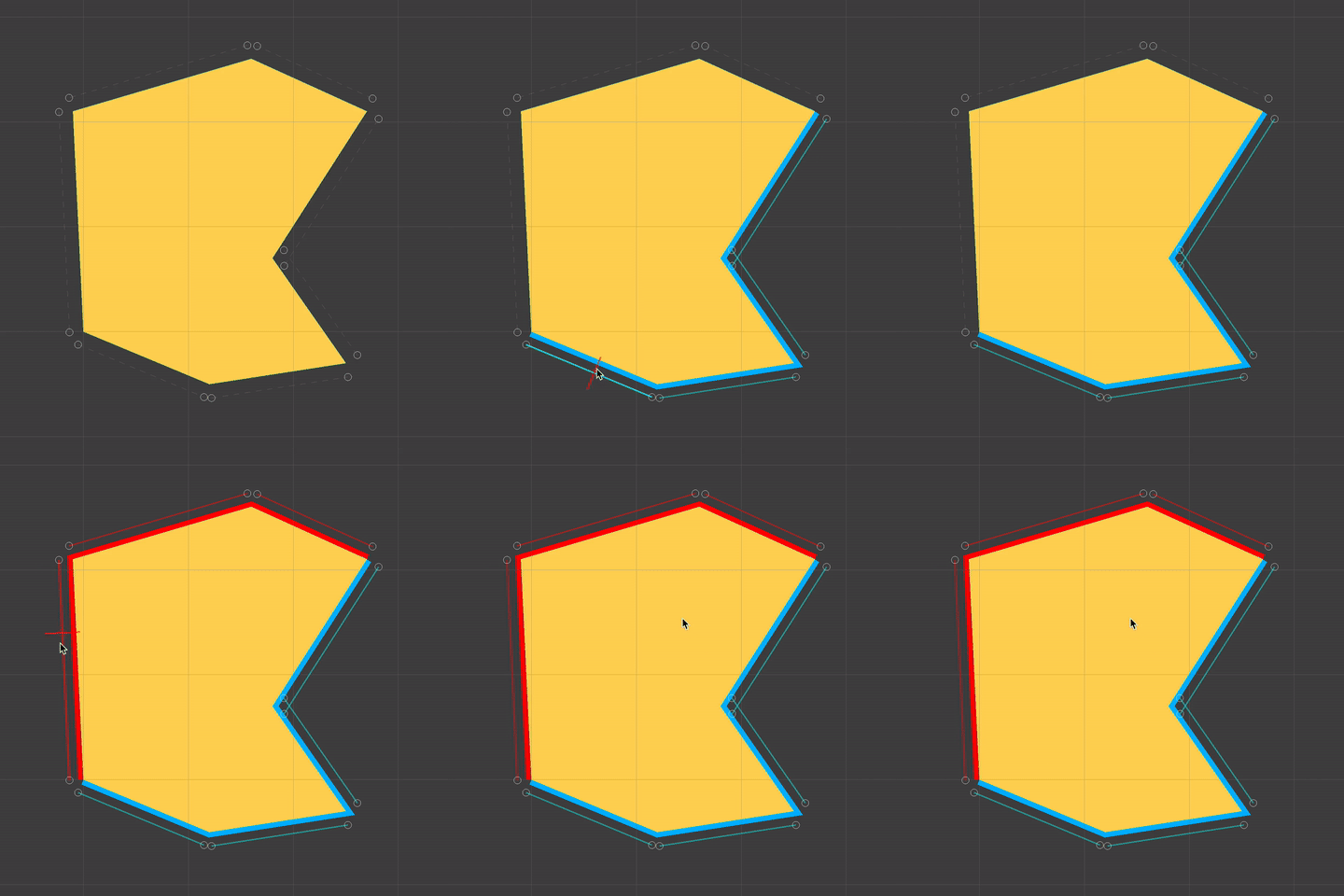
Hovering the mouse near these edges highlights them, and clicking and dragging applies whatever effect is selected (from a dropdown, not pictured)!

Once we are done adding these effects, all previous features of the terrain editing system will work just fine with the new fancy edges. We can add, remove and curve-ify points, and as long as there is no conflict between effects, the existing effect will remain!
Testing It Out
Once I had this system up and running, it was time to find out just how helpful it would be in designing levels for Don’t Drop The Ball. You may recall the following level from previous posts…
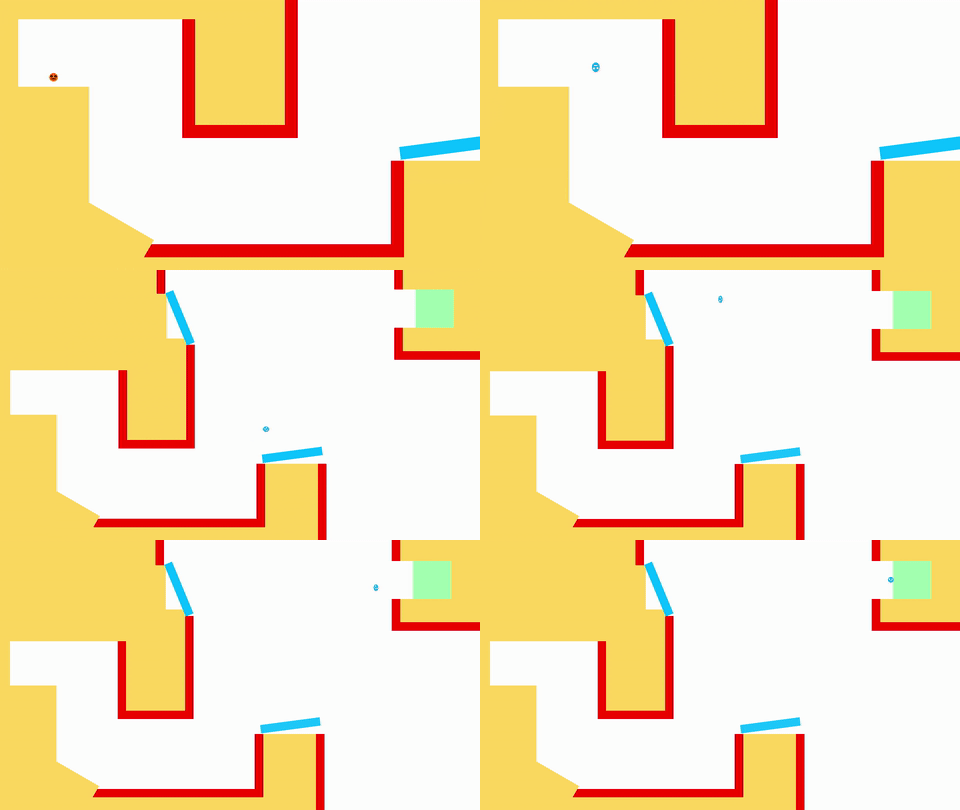
I very much like the design of this, where the player is made to use the terrain to clear the deadly gap at the start, then utilise the bounce pads to clear the larger gap at the end. However, I very much do not like its blocky and messy appearance.
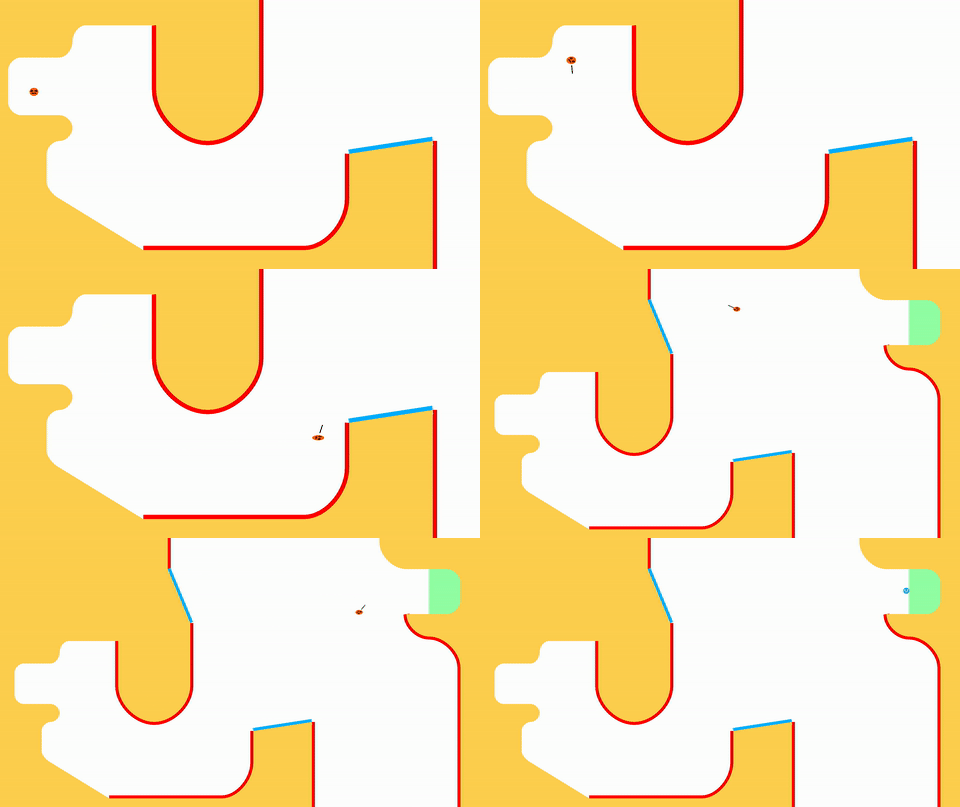
Here’s what the level looks now! In my opinion, much improved. Obviously, the visuals as a whole need to be gone over and polished at some point in the future, but the ability to make curved terrain (especially with edge effects attached) allows me to add some much needed visual flourishes to the levels.
It also enables further level design possibilities that would be very difficult to implement before (or even impossible). For example, here’s a section of a new level that I’m working on…

In Don’t Drop The Ball, the player is allowed to launch the ball once in mid-air, but the ball is then required to make contact with one of the bounce-able surfaces to be able to launch again.
The start of this level requires the player to utilise the boost pad to launch into the slanted ceiling. This gives the ball the momentum to clear the curved deadly terrain on the right hand side of the screen, but it also lets the player keep their one mid-air launch, which is required to knock the ball into the second boost pad.
This kind of level would be impossible to craft with the previous tools I had at my disposal. Positioning the deadly terrain in the same curved formation would take an absolute age!
The presence of some form of danger in these levels (like the deadly terrain) is super important, because it not only gives the player a hurdle to get over, but it also can be used to help guide the player to the areas of the level that I intend for them to go to. Theoretically, the same could also be achieved by attracting the player towards items/terrain that will help them, such as the boost pads.
Onwards!
I finally feel like these tools are developed enough to the point where I can start messing around with different level design ideas easily, which is a very exciting prospect! Alongside this, I plan to expand the number of terrain effect types from just the existing boost pad and deadly terrain, but I will discuss this more down the line.
Taking a step back even further, I want to consider other ways in which I can present diverse and interesting gameplay scenarios in Don’t Drop The Ball. I have ideas for various different power-ups that will introduce cool new gameplay mechanics, as well as creating new obstacles for the player to reckon with.
I am putting a lot of effort into making these tools fun and simple to use now, because ideally, I will eventually be able to give them to the player so that they too can create their own levels. Therefore, I’m going to focus on them for a while longer. After this, I can get my head down and focus on creating more content for the game!

 Don't Drop The Ball
This looks awesome. The tracking you have to do to prep the bounce in that second level example is :chefs-kiss:
LikeLiked by 1 person
Awesome improvement, Boss!
LikeLiked by 1 person